An AI photo analyzer that turns a snapshot into structured data
Point a camera at a meal, a receipt, or a document and get back clean, structured fields your app can use right away, not raw AI text.
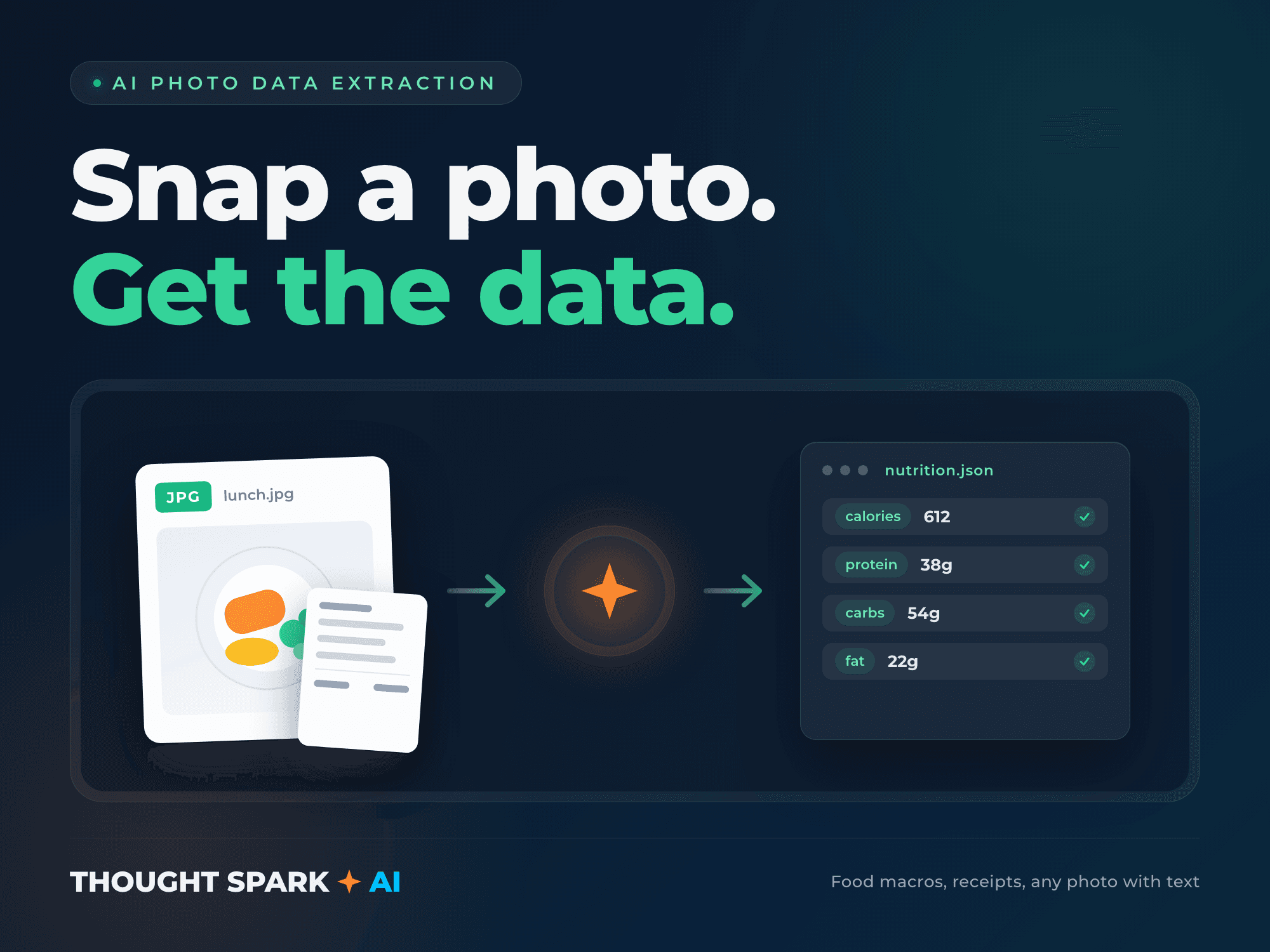
A photo is the fastest way for a user to get information into your app, if what comes out the other end is actually usable. I build photo analyzers that take one specific photo type and return exactly the structured fields your app needs, not a wall of AI-generated text you then have to parse yourself. Point a camera at a meal and get back calories, protein, carbs, and fat as JSON. Snap a receipt and get itemized line data. Photograph a label, form, or handwritten note and get structured text out.
This is the same capability behind the photo-based meal logging in Money and Macros, my own live nutrition app, so the build starts from something already proven in production rather than a first attempt.
The Starter tier covers one photo type, whichever matters most to your product: food-to-macros, receipt-to-line-items, or document-to-text. Higher tiers add more types and tighter integration into your existing data model.
What you get
- ✓AI photo analysis for your chosen type: food macros, receipt line items, or document text extraction
- ✓Structured JSON output matching the exact fields your app needs, not free-form AI text
- ✓Prompt engineering tuned against your real sample photos, not a generic template
- ✓Confidence handling so low-quality or ambiguous photos are flagged rather than silently wrong
- ✓API endpoint or direct integration into your existing app
- ✓Setup file and source code included
- ✓A handoff doc covering how the prompt is tuned and how to adjust it as your needs change
How it works
- 1You share sample photos of the type you want analyzed and the exact fields you want returned.
- 2I build and tune the analyzer on a branch against your real samples, not generic stock images.
- 3I test it against your samples until the output is reliably accurate, then you try it yourself on a preview deployment.
- 4I deploy to production and hand off, including how to retune it if your photo conditions change.
Pricing
Fixed price, fixed delivery date. Not sure which tier fits? Book a scoping call and we’ll figure it out together.
Starter
- ✓AI analysis for one chosen photo type
- ✓Structured JSON output matching your exact fields
- ✓Prompt tuned against your real sample photos
- ✓Tested until output checks out against your samples
- ✓Setup file and source code included
One photo type: food-to-macros, receipt-to-line-items, or document-to-text.
Standard
- ✓Everything in Starter
- ✓A second photo type added (for example, both food and receipts)
- ✓Confidence scoring so your app can flag results for user review when accuracy is uncertain
- ✓Handling for lower-quality photos: bad lighting, angle, partial crops
- ✓Direct integration into your existing app or database
A product that needs more than one photo type, or tighter accuracy requirements.
Advanced
- ✓Everything in Standard
- ✓A third photo type, or a custom field set built specifically around your use case
- ✓Batch processing for multiple photos in one submission
- ✓Full integration into your existing data model, not a standalone endpoint
- ✓Accuracy review against a larger sample set of real photos
- ✓Post-launch check on day 3 and day 7 after go live
A product that needs multiple photo types wired into an existing workflow end to end.
Add-ons
- +Fast delivery: +$195 to +$495 depending on tier and turnaround
- +Additional revision beyond the included round: +$195
- +Additional photo type beyond what the tier includes: +$400 each
- +Multi-language document support: +$350
- +30 days of post-launch support: +$400
Questions
Which photo type should I choose for the Starter tier?
Whichever one your product actually needs today. If you're not sure, tell me your use case before ordering and I'll tell you honestly whether Starter covers it or you need Standard.
How accurate is this?
Accuracy depends on photo quality and how consistent your users' photos are, which is why I tune the prompt against your real sample photos rather than a generic template, and build in confidence scoring so uncertain results get flagged instead of trusted blindly.
Can this read handwriting?
For document-to-text, yes, to a degree, legible handwriting extracts reasonably well and messy handwriting extracts less reliably. Send me a sample before ordering if handwriting is central to your use case.
Does this replace a dedicated OCR tool?
For structured extraction where you want specific fields back rather than raw text, this approach generally does more for you out of the box. For pure bulk text digitization at large scale, a dedicated OCR pipeline might be the better fit, and I'll tell you if that's the case for your project.
What do you need from me to start?
A set of real sample photos, the kind your actual users would take, and the exact fields you want returned.
Ready to scope it out?
A short call to confirm which tier fits and lock in a delivery date. No obligation.